
.png)
LI Test
LI Test
What You'll Learn
By the end of this tutorial, you'll be able to:
- Install the You.com community node in n8n
- Set up your API credentials securely
- Build a workflow that searches the web automatically
- Customize your searches with filters and options
Time needed: About 15 minutes
Prerequisites: An n8n instance (cloud or self-hosted)—see Part 1 if you need to set this up.
What Is You.com?
You.com is an AI-powered search and intelligence platform that provides real-time web data through a developer-friendly API. You.com APIs give you clean, structured JSON responses built for automation.
The You.com n8n node (@youdotcom-oss/n8n-nodes-youdotcom) currently exposes two operations:
- Search: Web and news results with filters for freshness, country, language, and full-page content extraction (Livecrawl)
- Get Contents: Extract clean Markdown, HTML, or metadata from any URL
Get your API key at you.com/platform.
Step 1: Get Your You.com API Key
Before we start in n8n, you need an API key from You.com.
How to Get Your Key:
- Go to you.com/platform
- Create an account (or sign in)
- Click "Create API Key"
- Enter a new key name
- Copy the key—you'll need it in the next step
Keep your API key secret. It's like a password. Don't share it publicly or commit it to code repositories.
Step 2: Install the You.com Node in n8n
- Open your n8n dashboard
- Click the gear icon (Settings) in the bottom left
- Select "Community Nodes"
- Click "Install"
- Type:
@youdotcom-oss/n8n-nodes-youdotcom - Check the box acknowledging the risks
- Click "Install"
- Wait for installation (usually 30 seconds)
If you're running n8n yourself, you can also install via command line:
Then restart your n8n instance.
Step 3: Create Your First Search Workflow
Let's build a simple workflow that searches for a topic.
Create a New Workflow:
- In n8n, click "Workflows" → "New Workflow"
- Give it a name like "My First Search"
Add a Manual Trigger:
- Click the "+" button on the canvas
- Search for "Manual Trigger"
- Add it to the canvas
This lets you run the workflow with a button click, which is useful for testing.
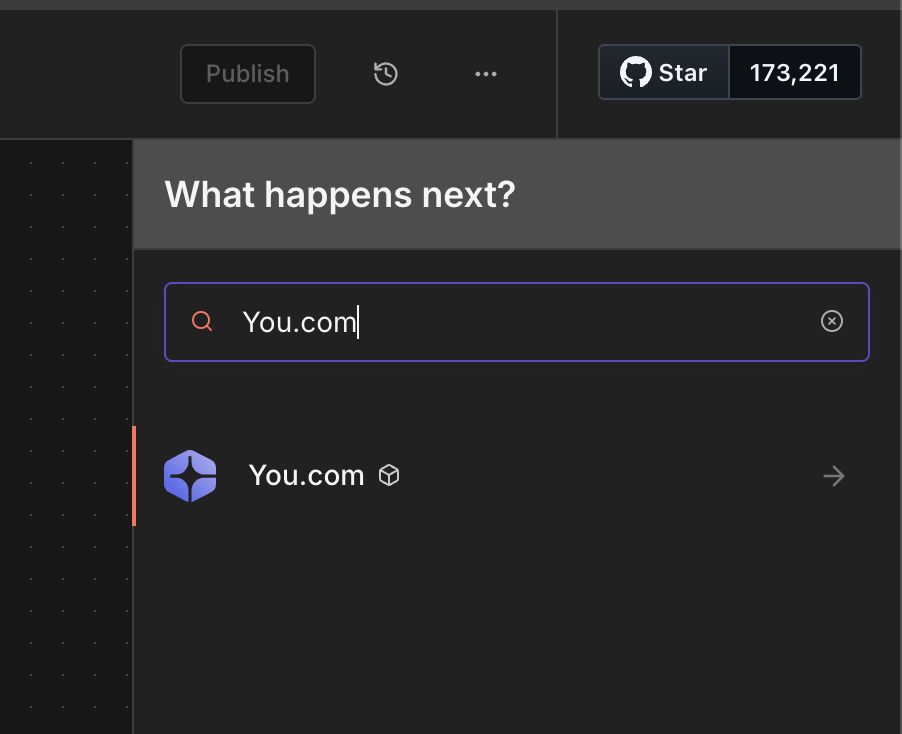
Add the You.com Node:
- Click the "+" button again
- Search for "You.com"
- Add the "You.com" node by clicking on the “Search the web and news” action in Node Details
Add Your API Credentials:
When you click on the You.com node, you'll see a "Credential to connect with" dropdown at the top.
- Click the dropdown and select "Create New Credential"
- Paste your API key into the field
- Click "Save"
n8n will automatically test the connection. If you see a green checkmark, you're good to go.

Step 4: Configure and Test Your Search
Now let's configure the search and run it.
Configure the Search:
- In the You.com node settings, find "Operation" — it should be "Search" (the default)
- In the "Query" field, type something like
latest artificial intelligence news
Test It:
- Click the "Execute step" button to test the node
- Watch as n8n executes the search and displays the results
Step 5: Understanding the Results
The You.com node returns structured JSON data with:
Web Results (results.web)
News Results (results.news)
Metadata
Step 6: Customize Your Search
Click "Add Option" in the You.com node to access additional filters:
Popular Options:
Livecrawl
Livecrawl fetches the full content of each search result page. This is useful when pairing search results with AI for summarization or analysis.
- Set Livecrawl to "All Results"
- Set Livecrawl Format to "Markdown"
- Each result will now include the complete page content
Example: Daily AI News Digest
Let's build something practical. Below is a workflow that runs every morning and collects fresh AI news.
The Workflow:
.jpg)
Configuration:
Schedule Trigger:
- Trigger at: 8:00 AM
- Days: Monday through Friday
**You.com Node:**
- Query:
artificial intelligence news breakthroughs - Count: 10
- Freshness: Past Day
Send Email Node:
- To: your email
- Subject: "Your Daily AI News Digest"
- Body: Use expressions to format the results
Troubleshooting
"Invalid API Key" Error
- Double check your API key is copied correctly
- Make sure there are no extra spaces
- Verify your You.com account is active
"Node Not Found"
- Ensure the community node is installed
- Try restarting n8n after installation
- Check Settings → Community Nodes
No Results Returned
- Try a broader search query
- Remove restrictive filters temporarily
- Check if your API quota is exhausted
What's Next?
Now that you can search the web from n8n, there's a lot you can build. In Part 3, we will explore creative use cases and show you how to combine web search with AI tools.
Ideas to try:
- Connect results to Google Sheets for archiving
- Send interesting results to Slack or Discord
- Use an AI node to summarize the search results
- Monitor specific topics for your business
Featured resources.
.webp)
Paying 10x More After Google’s num=100 Change? Migrate to You.com in Under 10 Minutes
September 18, 2025
Blog
September 2025 API Roundup: Introducing Express & Contents APIs
September 16, 2025
Blog
You.com vs. Microsoft Copilot: How They Compare for Enterprise Teams
September 10, 2025
Blog
All resources.
Browse our complete collection of tools, guides, and expert insights — helping your team turn AI into ROI.
.png)
You.com Web Intelligence Is Now Available in MindStudio’s Remy Apps
June 4, 2026
Blog

Context Window: Meaning and Optimization Tips
May 26, 2026
Blog
.png)
How APIs Became the Connective Tissue of LLMs
May 20, 2026
Blog

Simple Abstractions, Dense Payloads: Tool Design for Agentic Search
May 18, 2026
Blog
Introducing the You.com Finance Research API: Agentic Research, No Infra Required
May 14, 2026
Blog

Same LLM, Better Web Search, Better Outcome
May 7, 2026
Blog

What Is Semi Structured Data: A Developer's Guide
May 4, 2026
Blog
.png)
Context Rot Is Quietly Breaking Your API Integrations
May 1, 2026
Blog